Mileage Map Instructions
For mileage reimbursement, Hamline requires an image from a map site (such as Google Maps) that shows the one-way mileage, including the starting and ending address.
To download a mileage map to include with your ATLAS invoice, choose one of the two methods below.
NOTE: The map image must include both the route and the number of miles. See examples below.
Method #1: Google Maps print feature
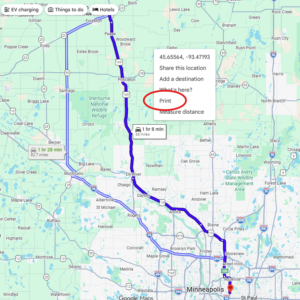
- Map your one-way route, from your home address to the activity address.
- In the map, right-click and choose print.
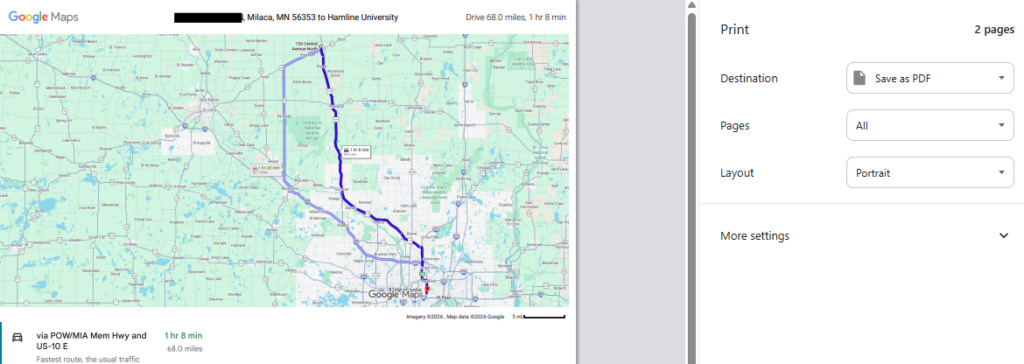
- You can add a note (optional) or just click Print in the upper right.
- Pick “Save as PDF” as your print destination. Example:
Method #2: Save as PDF from another map site
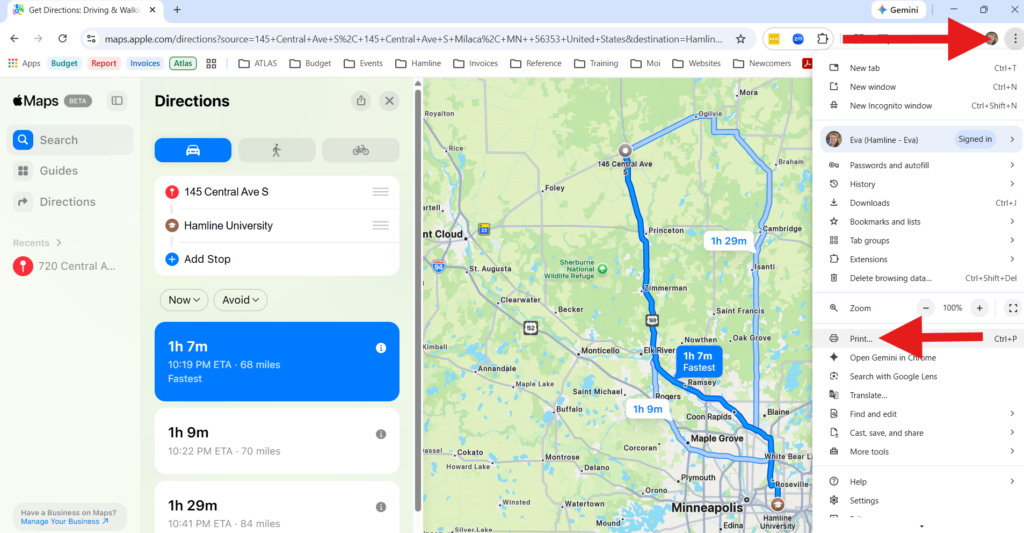
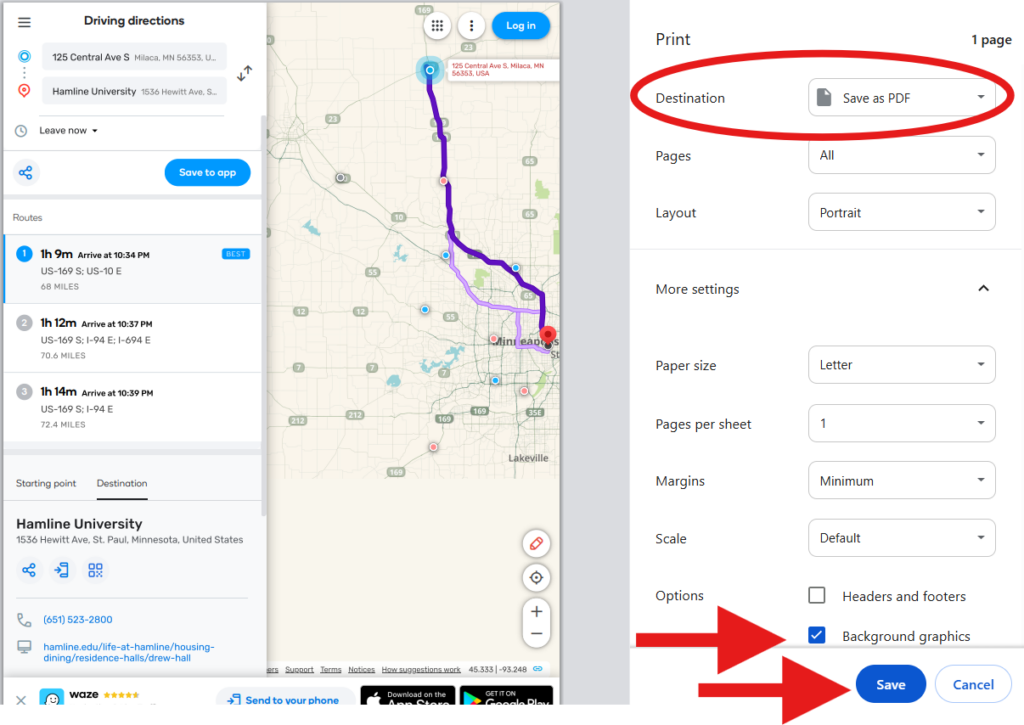
- Map your one-way route, from your home address to the activity address.
- Click the 3 dots in the upper right corner of the browser (depending on the browser, they will be vertical or horizontal).
- From the menu, choose Print.