Mileage Map Instructions
Map Requirements
- your starting address
- your destination address
- the one-way route
- the total one-way miles
Please double-check that all four items are visible before uploading your map.
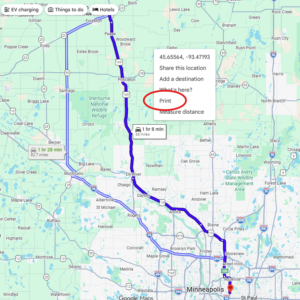
Preferred Method: Google Maps on your computer
- Open Google Maps
- Enter your route from your starting address to the event or hotel address
- In the map, right-click and choose print
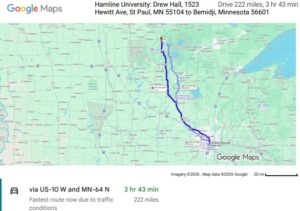
- Choose Save as PDF as the destination
- Save the file and upload it with your invoice
Tip: If the map itself is missing from the PDF, open More Settings in the print window and turn on Background graphics.
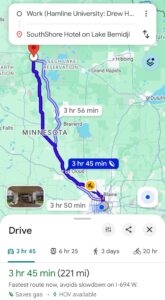
Alternate Method: Screenshot from your phone
- Open your map app and enter your route
- Make sure the screen shows:
- starting address (home or work)
- specific destination address
- one-way route
- total miles
- Take a screenshot and upload the image with your invoice
Google Maps on your computer – right-click to print
Google Maps on your computer – print PDF format
Screenshot from your phone