
- MN ABE Connect
- Archive
- Ellii + Ventures
 December 22, 2025
Ellii + Ventures
Ellii + Ventures
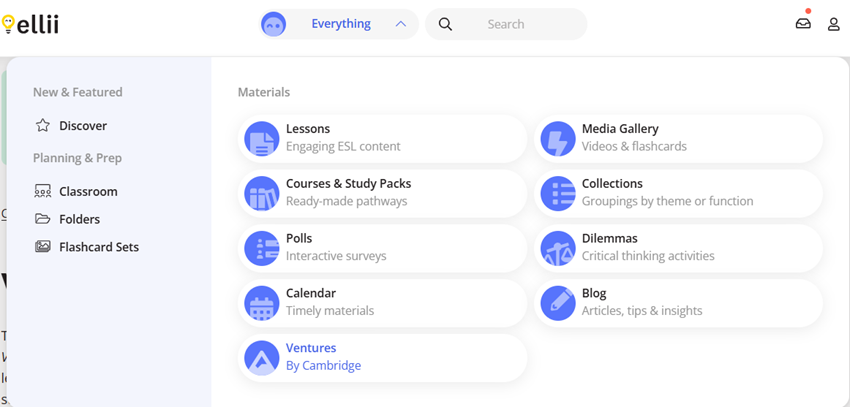
If you are using our state-supported Ellii plan (or another organization plan with access to Ellii + Ventures), you first will open your Everything tab. You will find the Ventures content next to a mountain icon that says “Ventures By Cambridge.”
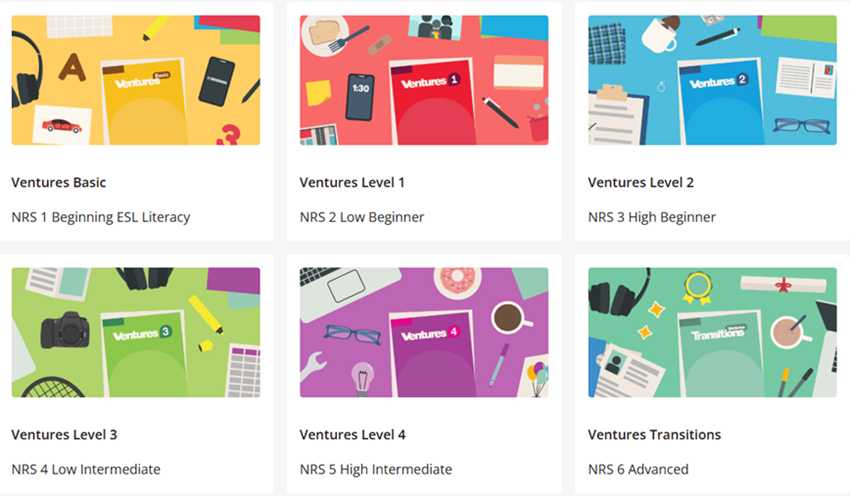
It will bring you to a pack of lessons organized not only by Ventures levels, but also NRS levels.
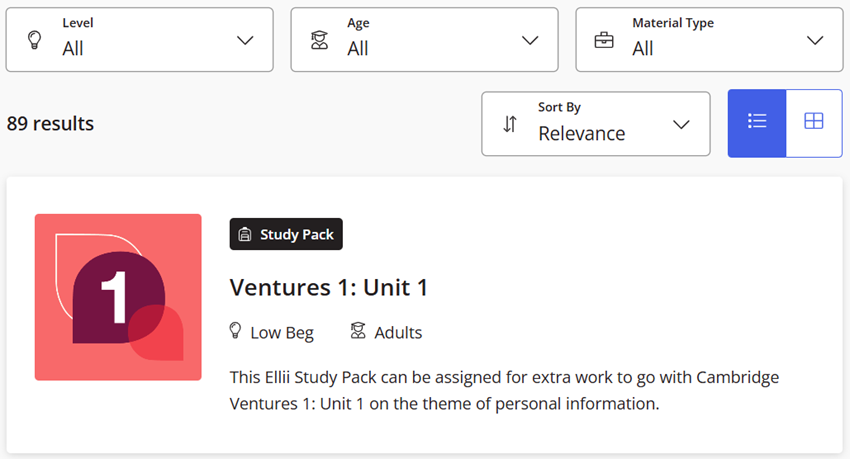
Once you click on a level, it gives you a whole range of items to choose from for printing and/or assigning, from entire study packs down to specific categories like grammar or vocabulary.

Tips, Tricks, and Resources
- Learner Log-in Handouts
- Students write their usernames and passwords
- QR code
- Online vs PDFs
- Choose a lesson with both options
- First teach and do the PDF together in class (without learners being logged in to the platform; this is the easiest way to avoid double-counting contact and distance learning hours)
- Then students can do the online version as review another day or as their homework
- Flashcard Sets
- Create custom flashcard sets – This shared folder contains resources for teaching digital literacy, including custom flashcards to support students learning how to complete digital tasks in Ellii.
- You can edit your flashcards to add different vocabulary, phrases, etc
- Printing user names & passwords
- Screenshot lists of student usernames
- This works best if usernames & passwords are the same (because passwords are NOT shown)
- Immersive Reader
- How-to slides with video Ellii Immersive Reader
- Recordings of past Ellii trainings
- Use this form to request a CEU certificate for viewing a recorded training.
- Screenshot lists of student usernames